
Popular Channels
Browse by group
Log in or sign up
You'll get a more tailored experience and exclusive data access.
Claim your observer
Enter the 5‑digit Pin shown on your observer screen to link it to your account.
MQTT uplink (beta)
Already running meshcoretomqtt? Mirror your repeater packet logs into MeshRank using a personal uplink key. It will show up in Observer Rank with a Nursery badge for ~4 hours, then auto-promote to Live if the data looks healthy.
Repeater auth code
For the Heltec V4 Repeater Observer uplink. Keep this code secret and paste it into the Repeater Observer setup.
Message flow
Choose where new messages appear. Defaults to newest at the bottom. Saved to your account.
Channels
Account Details
Live visibility into packet flow, repeaters, and evolving mesh health.
meshcoretomqtt) into MeshRank with a personal uplink key.
0x8B5) so the RF switch stays in sync over long uptimes.
meshcoretomqtt (or similar)? You can mirror a repeater’s packet log into MeshRank using a personal uplink key.
.env.local snippet.
meshcoretomqtt
nano ~/.meshcoretomqtt/.env.local
sudo systemctl restart mctomqtt
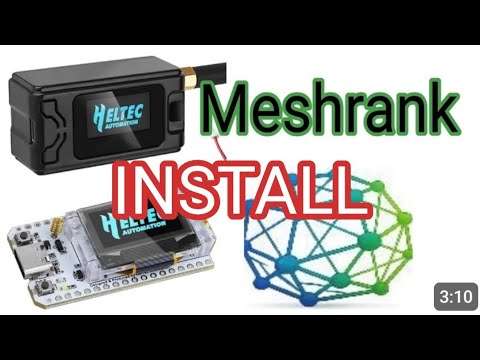
Why MeshRank?
Mesh networks promise resilience, but in their early stages they often struggle with something more basic: confidence.
With MeshCORE, new repeaters are frequently deployed into sparse or growing networks. When messages don’t appear to move - or there’s no clear feedback - operators naturally assume the repeater isn’t helping. Too often, it gets switched off, and the network loses coverage just when it needs it most.
MeshRank exists to answer one question early mesh networks struggle with: “Is this helping?”
By giving honest, low-impact feedback, MeshRank helps good repeaters stay online long enough for the mesh to become truly resilient. MeshRank exists to change that experience.
It provides visibility into how the mesh is actually performing:
Which repeaters are active and contributing over time. Which messages were delivered, with a confidence score rather than guesswork. Where messages were observed but failed to fully propagate.
This feedback loop keeps operators engaged and informed, even when the network is still maturing.
MeshRank uses a passive observer network to provide insight without increasing mesh traffic. By reducing the need for repeated test messages, it lowers network load while giving users meaningful information about what’s happening behind the scenes.
Repeaters are ranked based on real contribution, not assumptions - encouraging operators to keep nodes online, improve placement, and actively strengthen the network.
MeshRank doesn’t replace the mesh, and it doesn’t route traffic through the internet. It simply helps the mesh understand itself.
Visibility builds confidence. Confidence builds resilience.
Frequently Asked Questions
No. MeshRank does not forward, relay, or complete mesh messages using the internet. All mesh communication still happens entirely over RF. MeshRank only observes what has already occurred and reports that information back to users.
No. The mesh remains fully autonomous and functional without MeshRank. If MeshRank disappeared tomorrow, the mesh would continue to operate exactly as it does today. MeshRank does not participate in routing decisions, message delivery, or network control - it provides visibility, not dependency.
Because feedback matters. In early and sparse networks, lack of feedback causes repeaters to be switched off, not improved. MeshRank uses off-mesh observation to help operators understand what’s happening without increasing RF traffic or adding test spam to the network. This strengthens the mesh - it doesn’t weaken it.
No. MeshRank is not in the message path. It cannot block, delay, or interfere with mesh traffic. If MeshRank goes offline, the mesh continues to operate unchanged. There is no reliance on MeshRank for delivery, routing, or authentication.
Quite the opposite. MeshRank encourages: better repeater placement, higher uptime, reduced test traffic, and faster identification of coverage gaps. All of these increase RF-only resilience, even when the internet is unavailable.
No. Observers do not inject traffic or control the network. They report limited metadata needed to understand propagation - not to monitor users. The goal is network health, not message content analysis.
Yes - intentionally. Visibility and motivation matter. Ranking makes contribution measurable, encourages operators to keep repeaters online, and helps the network grow during its most fragile phase. Strong networks are built by engaged operators.
MeshRank becomes less critical - and that’s a success. As density increases, confidence becomes self-sustaining. MeshRank’s role naturally shifts toward diagnostics, optimisation, and historical insight rather than reassurance.
MeshRank exists to answer one question early mesh networks struggle with: “Is this helping?” By giving honest, low-impact feedback, MeshRank helps good repeaters stay online long enough for the mesh to become truly resilient.
Overview
These terms apply to your use of MeshRank.net and related services. By using the site, you agree to these terms.
Acceptable use
- Use the service lawfully and respectfully.
- Do not attempt to disrupt, overload, or bypass security.
- Do not upload or share unlawful, harmful, or misleading content.
Accounts
You are responsible for keeping your login details secure and for activity under your account.
Availability
We aim to keep the service available but do not guarantee uninterrupted access.
Liability
The service is provided “as is”. To the extent allowed by law, we exclude liability for indirect or consequential loss.
Changes
We may update these terms. Continued use after changes means you accept the updated terms.
Contact
Questions? Contact us via the MeshRank site.
What we collect
- Account details (email, display name).
- Usage data and basic analytics to operate the service.
- Node identifiers you choose to claim.
How we use data
- To provide and improve the service.
- To keep accounts secure.
- To personalise your experience where enabled.
Lawful basis
We process personal data under legitimate interests and, where applicable, consent or contract.
Sharing
We do not sell personal data. We may use trusted service providers for hosting and authentication.
Retention
We keep data only as long as needed for the service or legal obligations.
Your rights
You can request access, correction, or deletion of your personal data, and object to processing where applicable.
Contact
For privacy requests, contact us via the MeshRank site.